Feeds:
Posts
Comments

Posts Tagged ‘neck pain’

By Sue Shekut, Owner, Working Well Massage, Licensed Massage Therapist, Certified Wellness Coach, ACSM Personal Trainer

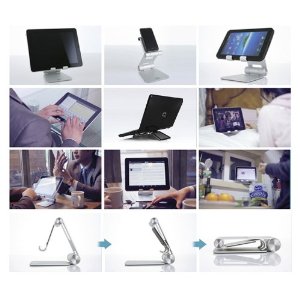
Check out this amazingly well designed and useful tablet stand, the Satechi R1 Arm Hinge HolderStand! Only about $49 on Amazon here. This stand allows you to tilt your tablet at a comfortable viewing angle and work hands free.

R1 Tablet Stand

Product Design

Satechi R1 is a desktop stand for any 7″ to 10″ tablet. Constructed from solid aluminum, the R1’s supporting grips are finished in rubber to hold your tablet securely in place. It’s compatible with most tablet cases. The R1 will hold your tablet at the right height and angle you determine to be for desktop use – useful for working with a Bluetooth keyboard, watching movies or video conferencing.

Technical Details

  • Compatible with 7″ to 10″ tablets:
    iPad,
    iPad 2,
    ASUS Eee Pad Transformer,
    Motorola Xoom,
    Samsung Galaxy Tab,
    Galaxy 10.1,
    ViewSonic gTablet,
    BlackBerry Playbook,
    HTC Flyer
  • Solid aluminum construction with rubber pads that hold surface for your tablet
  • Put your tablet in Portrait, Landscape or Flat-Angled orientation, change Height or Angle.
  • 270 degree mount hinge, 180 degree base hinge, folds away compactly into its pouch
  • Package includes: R1 Stand, pouch, user manual with 1 year warranty

Amazon reviewers say:

Bic: This holder was better than I expected.

Nicely machined aluminum with pads in the right places. Very good industrial design. Stiff enough to hold my Asus Transformer tablet securely in place in any viewing angle, but not so stiff as to make adjusting difficult

Fully deserves 5 stars.

Susan A. Ferraglio: The r1 stand is well built, sturdy yet of moderate size. The included carrying pouch is a nice added touch. I like the stand because it has protective rubber linings at all the contact points for the iPad. There are so many comfortable positions for typing landscape or portrait mode. In a folded position the iPad is close to the table surface for typing at a desk, the stand can be raised so the iPad can be held up for movie viewing or photo slide shows.

I use a Bear Motion leather iPad case (which I love) which I DO NOT have to remove when using the stand, Great convenience !

This stand is versatile because other electronics can be used as well. The iPhone fits nicely. It can held high for more comfort.

I also used my 13″ laptop in it but the joints were not strong enough to hold the laptop up high. It worked well when the stand was closed. The laptop was kept at a comfortable angle for use at a desk.

My only concern is the strength of the joints. They are very tight now. They easily hold up the iPad without moving. Over time they may weaken and I don’t see an easy way to tighten them if needed. Hopefully that will be a long way off. Build quality is very good. The finish is a satin-smooth finish – very even and clean.
I would definitely recommend this stand for its versatility, size and multiple positions.

Enhanced by Zemanta

Read Full Post »

By Sue Shekut, Owner, Working Well Massage, Licensed Massage Therapist, Certified Wellness Coach, ACSM Personal Trainer

Massage therapists see many people with neck and shoulder pain. In the U.S., a large proportion of people either work at a computer all day. A pain pattern I see commonly from those that place their keyboards far away from the edge of the desk and set papers in front of them on the desk before the keyboard. Then they lean far over the paper to type. This can result in tight and painful muscles in the middle of the back.

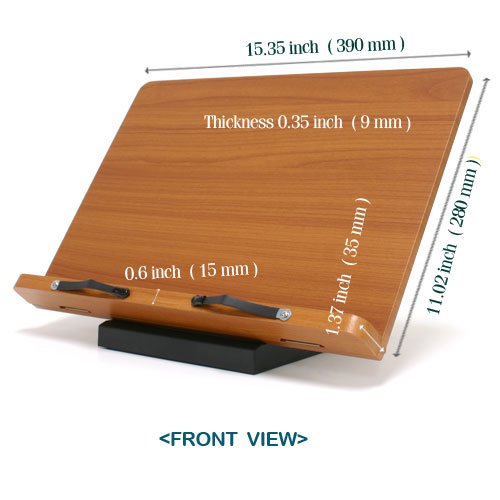
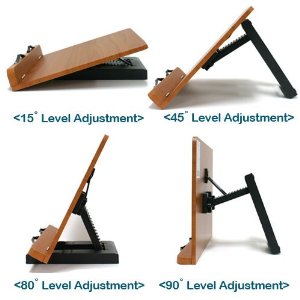
An easy and inexpensive fix for this is to buy a document holder and use it to stand your papers or books upright, at a slight angle so that you can see your documents and still have your keyboard closer to you as you type. I’ve provided a list of the best document stands I could find on Amazon below.

Jasmine Book Stand (Bookstand / Bookstands / Holder / Cookbook / Music)

$29.99 at Amazon click here.

Amazon reviewers say:

• This book stand is so amazing! As a graduate student, it has made all the difference in the world with my reading and research. It makes it much easier to take notes; it can accommodate quite thick books; it is very sturdy; and, it is a great size. My reading and note taking are happening with greater ease and speed. This is a wonderful product! C roberts

• I have degenerative disc disease in my cervical spine and I can hold my head in only one direction for longer than 5 minutes–straight ahead. I am a student and have a lot of reading to do. This bookstand has saved me a lot of pain and discomfort, allowing me to maintain good posture while I study. I highly recommend this product to anyone with neck pain.  j hunter

• I purchased this stand to hold thick textbooks, and it is exactly what I wanted. As an added benefit, I also use it to hold my computer tablet. Now I’m considering getting another one.  Sydney

• I’m a nursing student, and I got this stand because I was getting neck aches from studying so much. This stand put a prompt end to that! It is sturdy, easy to use, and it works well at my computer desk for my online class. I can easily set my book at a 45 degree angle to my computer screen and a bit to the side, and I can see the screen, the textbook, and have my binder open in front of my screen to follow along during a lecture. It is lightweight and stores fairly flat, too. I love it!  R H May

• I use this bookstand in front of my computer at work to hold file folders while I type letters and reports, etc. It’s excellent for this. Some of the files can be a little thick and heavy; this book stand holds up. It’s made much better than the one I had before that was made from plastic and had bent under the weight of the files over time. I don’t see that happening with this stand. I do wish the tray was slightly deeper to hold even thicker files (or books), but overall I’m very happy with it. In spite of its strength, it is very light weight, but a little bulky if you plan to carry it around with you a lot. I would definitely recommend this book stand to my family and friends.  SS

• This is a steal for $30. The best part is the smooth surface finish and the solid feel of the assembly. The main hinge assembly is made of black plastic, but it is very rigid and the screws are metal. Another great feature is that the stand folds up flat so that you can put it in a backpack or a large notebook bag. I went to the library today and whipped it out onto a desk. The clips that hold the pages in place are nice too: firm enough to keep the pages down but not too strong so as to be a nuisance when turning pages. I’m definitely recommending this to all my friends who are students or who are serious readers.  Mpay

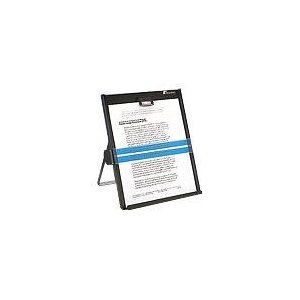
Fellowes Kopy-Aid Black Letter Copyholder (11053)

$24.88 at Amazon, click here.

I like this stand because its affordable and because it’s metal, it is most likely easier to write on if you need to take notes.

Amazon reviewers say:

• Top of the line document holder. I use the Fellowes Kopy-Aid both at home and work. I’d be lost without it. I do accounting and bookkeeping entries and nothing beats the moveable magnetic line guide. I highly recommend the Fellowes Kopy-Aid. J. Ferrero “MontanaJoe”

• I purchased this after my plastic on broke for the second time. It is very stable and won’t be likely to break or turn over like the ones I have used previously. I like the way the magnetic line guide fits at the side. Easy to use on one sheet or 20 semi-rumpled sheets. Patricia Adcock

• This item was pretty sturdy and help avoid a stiff neck when copying something. It was delivered on time and in good condition. The price is right. Edgardo P. Yamsuan

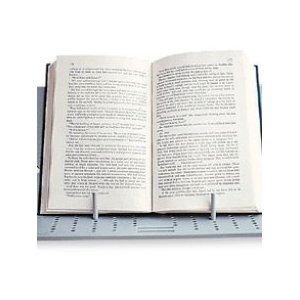
Portabook Message Board and Multifunctional Book and Laptop Stand (Light Gray)

Price on Amazon $12.99 click here.

Amazon reviewers say:

• This is the 4th or 5th Portabook I’ve purchased. I recommend them to massage clients and give them to friends and family. The Portabook is lightweight and easy to pack into a backpack along with laptop. It holds books, papers and lap taps easily. A set of coated rubber bands holds large books or a laptop keyboard in place. Using the Portabook relieves neck and shoulder pain caused by looking down at papers and books. It can also be used to hold a laptop at an angle that is easier to viewing the screen. However, it’s best to plug-in an extended keyboard in this setup or you ave to type with your arms up to your shoulders!

We only broke one Portabook after 2 years of constant use. For such an inexpensive and lightweight product 2 years of use is pretty good. I highly recommend the Portabook if you want an easy way to hold books and papers at an angle while you read. Wellness Woman

Roberts 732310000 Book Holder

$35.25 at Amazon click here.

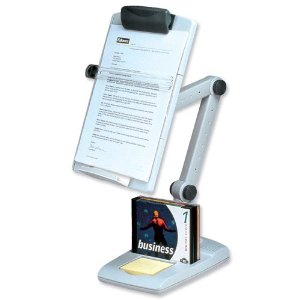
Fellowes Flex Arm Weighted Base Copyholder Platinum/Graphite

$26.23 at Amazon, click here.

I am leery of this stand but it does offer the flexibility of allowing you to position your document where its easiest for you to view. the down side is that the stand takes up a lot of room and that these types of arms tend to be flimsy and break often as noted by Amazon reviewers.

Enhanced by Zemanta

Read Full Post »

Bundle Up! Image via Wikipedia

By Sue Shekut, Owner, Working Well Massage, Licensed Massage Therapist, Certified Wellness Coach, ACSM Personal Trainer

I speak to clients all the time about neck and shoulder pain. I’ve posted many different tips on self massage and workplace tools to help keep you from getting sore and painful neck and shoulders. In the depths of the Chicago winter, I also tell people to keep their necks and heads covered and warm.

When we are too cold, we tend to hunch our shoulders up and this can create tension in the upper back and base of the neck.So wrap an extra scarf around your beck if you need to. Keep your zippers zipped all the way up and add an extra hat or hoodie to keep cold drafts off your neck. Want more tips, read on below.

Read how to bundle up for winter from Ehow here.

Here’s a fun article from Ecofriendly.com on making your own Knit Scarf. Click here for all the woolly details.

Read Chinese medicine tips on keeping your neck and waist warm in winter and why. For the full article at the Examiner, click here.

Read create tips n staying warm int he winter here from Outtakes.com.

Read Full Post »

By Sue Shekut, Owner, Working Well Massage, Licensed Massage Therapist, Certified Wellness Coach, ACSM Personal Trainer

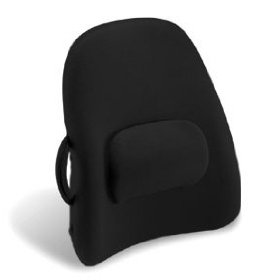
Orbus Low Back Seat Support

Recently I’ve had a lot of questions from clients about modifying their desks and workstations to help reduce back and neck pain. So I thought I’d list the top posts for ergonomic workspace solutions in one location.  If you have an uncomfortable chair or need a keyboard tray but your desk doesn’t easily allow for one, read the posts listed below from this blog.

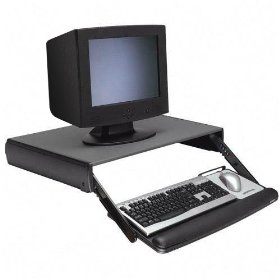
Fit Your Keyboard to You Not You to Your Keyboard!

Save Your Back with a Backrest for Car and Office

Backrest For the Above Average in Height That Need Head and Neck Support

Backrest for Short and Medium Height People

Great Backrest for People of Wider Girth and Gamers Too!

Pair Your Backrest with a Great Seat Cushion

Footrests for the Vertically Challenged

Enhanced by Zemanta

Read Full Post »

By Sue Shekut, Owner, Working Well Massage, Licensed Massage Therapist, Wellness Coach, ACSM Personal Trainer

I have a number of corporate clients that come in for short tune up massages on either the chair or massage table each week. Invariably I hear the same complaints: my neck hurts, my shoulders hurt, my head hurts. Then I ask them, aside from computer work, do you have a smart phone? (iPhone, Blackberry, Android, etc.) Often the answer for those with the worst neck pain is: yes.

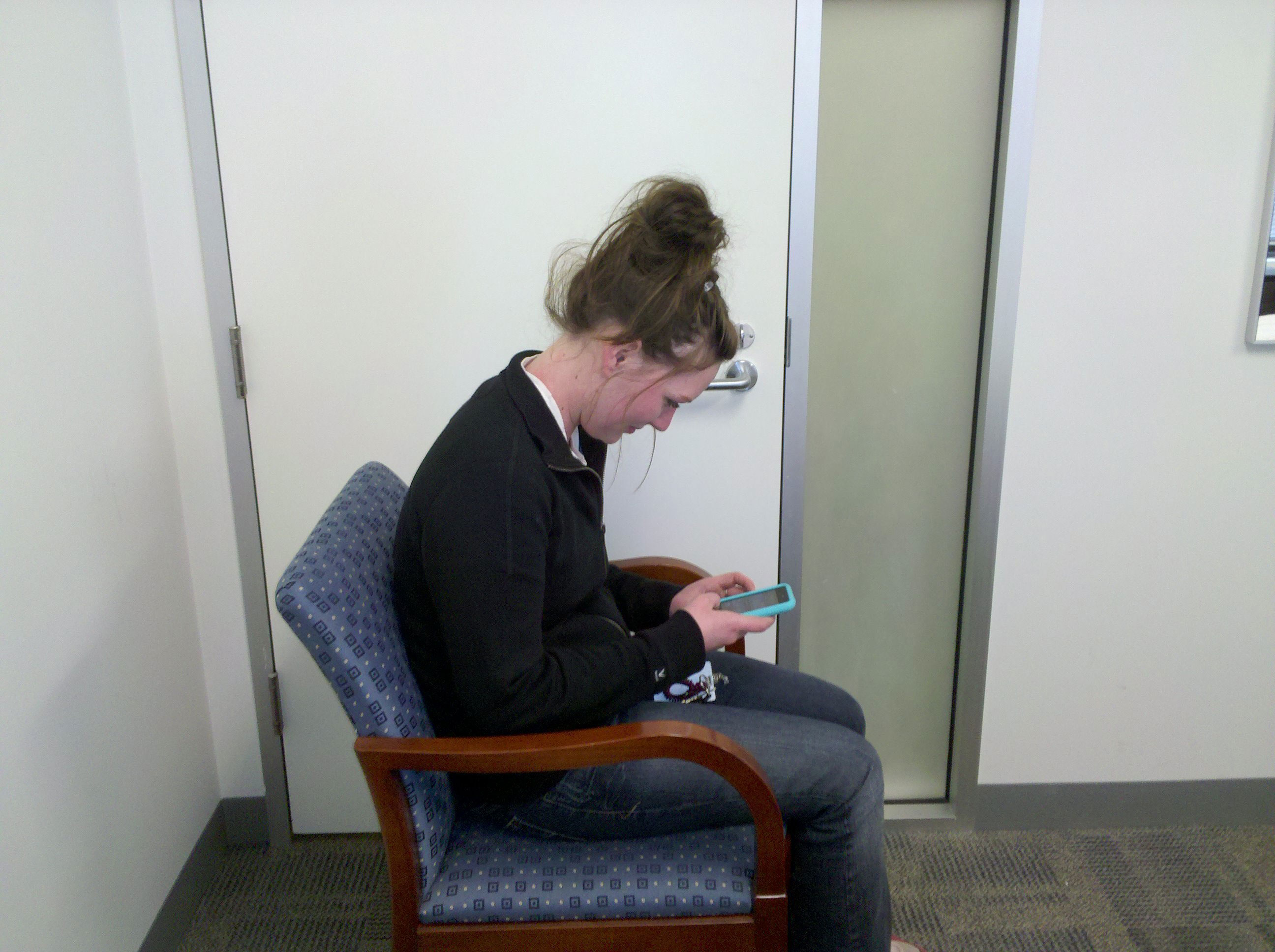
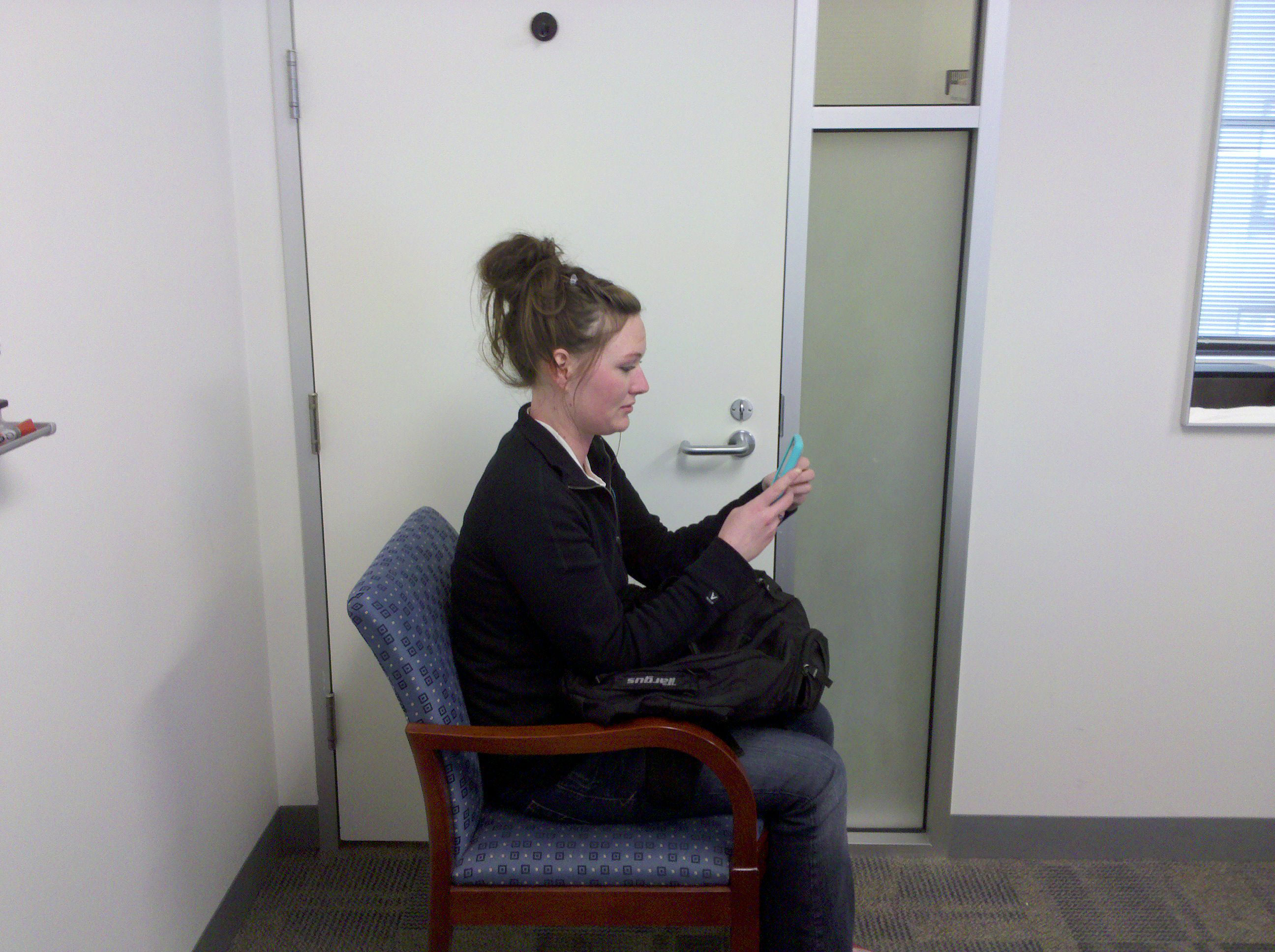
Megan Bubenyak, offered to let me photograph her in the “bad” iPhone viewing position, then in the modified, more comfortable position I recommend for smart phone viewing on the bus, train or subway.

In the first pic, Megan’s head is leaning too far forward and her arms are doing all the work to hold the phone up to her face.

Poor Smart Phone Ergonomics

In this second pic, Megan has balanced a backpack on her lap and uses it to wedge her elbows in. In this position, she can sit more upright, more comfortably hold her phone in front of her face and her arms and shoulder’s don’t have to do all the work to hold the phone up.

Better Smart Phone viewing position on public trans

If you don’t have a backpack, a purse will do. If you have neither, go ahead and invest in a cheap backpack and a small travel pillow. Stuff the pillow in the backpack and then viola! You have a comfy portable smart phone holder that is lightweight and as a bonus, it holds “stuff” for you too!

Close up of comfy backpack smart phone holder position

Enhanced by Zemanta

Read Full Post »

Common shot of iPad showing only users lap. Image from Flickr.

By Sue Shekut, Owner,  Working Well Massage, Licensed Massage Therapist,  Wellness Coach, ACSM Personal Trainer

I’ve been noticing iPad advertisements all over town. I see iPads on billboards, ads on my computer and on television. Notice how the ads don’t show people sitting and using the iPad. They show people’s laps and legs and then a close up the iPad. Hmm, why hide the necks and shoulders of iPad users? My guess, because sitting hunched over a small but relatively heavy iPad makes people look pretty uncomfortable.

Ned Batchelder has a great post on the ergonomic issues of the new iPad here. Ned shows a video of someone using the iPad to make slides that shows just how awkward it is to use the iPad for data creation. Commenters say that hey, the iPad isn’t designed to be a data creation device but a data consumption device.  Do we really need separate devices for each use?

Don’t get me wrong, I am a huge Apple fan. I’ve been using Macs since they first came out (Does anyone remember the old SE30’s with the 9″ monochrome monitor. That’s where I started. And interestingly enough that’s about the time I started needing to see a chiropractor, too.) But as slick as Apple’s touch screen iPod’s and iPad s are and are, they really cause a world of hurt for users’ necks and shoulders.

Whats Wrong With iPad?

1. iPad/iPod devices are small and relatively lightweight. So at first glance you may think, hey, it won’t hurt me, it’s a device under 1 pound. But that one pound gets pretty heavy if you hold it up over time.

Try this exercise. Hold a 1 pound weight up in front of your body for 5 minutes. Bet you can’t do it. The 60 seconds may be pretty easy. But as the clock ticks, the weight gets heavier and heavier. Now think about holding that weight for an hour. Two hours.  Even try holding just a real apple for ten minutes in front of you. (An edible apple I mean.) After a while your arm gets too heavy. It’s not so much the weight of the apple or the device that gets you. It’s the weight of holding your arm in front of you for long periods.

A Woman Named Rachel "holding" the Apple logo. Image from Flickr, luckmontague's photostream.

Even though the woman above is not holding any weights, just keeping her arm up will make her arm and shoulders fatigue. quickly. It’s unlikely you anyone would use their iPad in this position, but it gives you an idea of how heavy your arm can be.

2. The “iDevices” are small and to see the screen you have to bend over them. Your neck has to crane to position your eyes over the keypad. I watched a client use her new iPad yesterday. Even though she was sitting in a comfy overstuffed chair, with her legs up, resting the iPad on my knees, she still had to lean far forward and look down at the device.   Thanks Apple for keeping massage therapists, physical therapists, chiropractors and orthopedic docs busy for years to come!

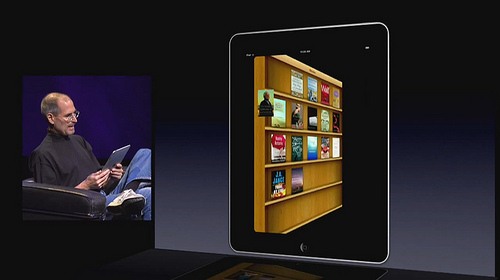
Even Steven Jobs will need  a neck and shoulder massage after using the iPad!  Notice in the photo below that he is holding the iPad in his hands away from his lap unlike ads for the iPad where we see people holding the iPad on their laps. It’s a trade off in whether his neck gets tired faster from craning forward or his arms and shoulders from holding the iPad closer to his face.

Even Steve Jobs Looks Uncomfortable Using the iPad Image from curiouslee at Flickr.

3. The touch screen is “cool” but it requires you to move your arm in front of your body at an awkward angle. using a keyboard already causes users to tighten their pectoral (chest) muscles a great deal. Tighter pectoral muscles often leads to muscle tension in muscles in the upper back and neck. Why? These back muscles have to compensate for the pec muscles literally pulling your body forward.

Notice how the young man pictured below is leaning far forward over his keyboard? He is engaging his pectoral muscles and the muscles in the back of his neck and upper back are straining to hold him upright. I feel safe to say he may have some neck and shoulder pain from this position. You may think your posture is much better than his But then thick about how you sit if you work on a iPad or iPod!

Image from NatBat at Flickr

I don’t doubt that the new iPad will necessitate a whole slew of new products designed to hold your iPad at a more ergonomic position. Until these come out, I recommend you use the good old Porta Book to hold your iPad at a comfortable viewing angle. The Posta Book is inexpensive, about $20, and lightweight. And it’s available here.

Or if you have a common house cat, you can make use of your pet as an iPad holder. One man did in the pic below!

Image from Flickr.

More articles on iPad ergonomics

The ErgoLab’s Apple iPad Part Deux: Don’t Shoot The Messenger
Donald Clack Plan B, iPAD: ergonomic disaster – end of story

The ErgoLab: The Apple iPad; this Apple has a few worms.

Business Inside SAI: Apple Still Hasn’t Fixed The Big Problem With The iPad: It Looks Really Uncomfortable To Use

Reblog this post [with Zemanta]

Read Full Post »

Stretching throughout the workday is essential for good health.

By Sue Shekut, Owner, Working Well Massage, Licensed Massage Therapist, Certified Wellness Coach, ASCM Personal Trainer

If you’re reading this, it’s likely that you’ve been sitting at a computer for an extended period of time.  Did you know that sitting still for a long time can cause serious health damage? OSHA says that maintaining static postures, such as viewing the monitor, for a prolonged period of time without taking a break can fatigue the muscles of the neck and shoulder that support the head. Additionally, OSHA recommends that repetitive tasks or jobs that require long periods of static posture incorporate several, short rest breaks (micro breaks or rest pauses). During these breaks you should stand, stretch, and move around. This provides rest and allows the muscles enough time to recover. Read the excerpt from Susan Seliger”s article “Stretching Exercises at Your Desk: 12 Simple Tips” at WebMD for a few of the stretches you can easily perform in your workplace to keep limber throughout the day.

Stretching Exercises You Can Do at Your Desk

  1. Just stand up and sit down — no hands
    • You might have gotten a gold star in preschool for sitting still, but it just goes to show you (best sellers notwithstanding) that not all of us learned everything we need to know in kindergarten. “If you stand up and sit down (over and over) — without using your hands — it can be a challenge,” says Smith. It’s like doing mini-squats!
  2. Substitute exercise for sitting — while you work
    • Get rid of your desk chair and substitute an exercise ball, suggests Smith. “I used it for a while when I was having low-back problems; it was great,” Smith says. “All day you are engaging all the muscles in the back, legs, butt, everything, to stay balanced.”
  3. Shrug your shoulders — to release the neck and shoulders
    • Inhale deeply and shrug your shoulders, lifting them high up to your ears. Hold. Release and drop. Repeat three times.
    • Shake your head slowly, yes and no.
  4. Loosen the hands with air circles
    • Clench both fists, stretching both hands out in front of you.
    • Make circles in the air, first in one direction, to the count of ten.
    • Then reverse the circles.
    • Shake out the hands.
  5. Point your fingers — good for hands, wrist, and forearms
    • Stretch your left hand out in front of you, pointing fingers toward the floor. Use your right hand to increase the stretch, pushing your fingers down and toward the body. Be gentle.
    • Do the same with the other hand.
    • Now stretch your left hand out straight in front, wrist bent, with fingers pointing skyward. Use your right hand to increase the stretch, pulling the fingers back toward your body.
    • Do the same on the other side.
  6. Release the upper body with a torso twist
    • Inhale and as you exhale, turn to the right and grab the back of your chair with your right hand, and grab the arm of the chair with your left.
    • With eyes level, use your grasp on the chair to help twist your torso around as far to the back of the room as possible. Hold the twist and let your eyes continue the stretch — see how far around the room you can peer.
    • Slowly come back to facing forward.
    • Repeat on the other side.
  7. Do leg extensions — work the abs and legs
    • Grab the seat of your chair to brace yourself and extend your legs straight out in front of you so they are parallel to the floor.
    • Flex and point your toes five times. Release.
    • Repeat.
  8. Stretch your back with a “big hug”
    • Hug your body, placing the right hand on your left shoulder and the left hand on your right shoulder.
    • Breathe in and out, releasing the area between your shoulder blades.
  9. Cross your arms — for the shoulders and upper back
    • Extend one arm out straight in front of you. With the other hand, grab the elbow of the outstretched arm and pull it across your chest, stretching your shoulder and upper back muscles.
    • Hold. Release.
    • Stretch out the other arm in front of you — repeat.
  10. Stretch your back and shoulders with a “leg hug”
    • Sit on the edge of your chair (if it has wheels, wedge the chair against the desk or wall to make sure it does not roll). Put your feet together, flat on the floor.
    • Lean over, chest to knees, letting your arms dangle loosely to the floor. Release your neck.
    • Now bring your hands behind your legs, right hand grasping left wrist, forearm (or elbow if you can reach that far), left hand grasping the right. Feel the stretch in your back, shoulders and neck. Hold.
    • Release your hands to the floor again.
    • Repeat three times or as often as it feels good.
  11. Look up to release upper body
    • Sit up tall in your chair, or stand up. Stretch your arms overhead and interlock your fingers.
    • Turn the palms to the ceiling as you lift your chin up, tilt your head back, and gaze up at the ceiling, too.
    • Inhale, exhale, release.
  12. Substitute walks for email — and don’t eat at your desk
    • Instead of emailing a colleague “and copying 25 people who don’t want to be copied anyway,” Smith says, “walk over to the colleague you really want to talk to.”

    Read the rest of the article at WebMD.

    Reblog this post [with Zemanta]

Read Full Post »

By Sue Shekut, Licensed Massage Therapist, ACSM Personal Trainer, Certified Wellness Coach, Owner, Working Well Massage

Don’t have time to exercise? Working long hours at a computer or desk?  Then this set of easy yoga poses may be for you!

Easy Desktop Yoga is a CD with a series of video exercises based on yoga, and designed specifically for computer users. International yoga instructor, Juliet Lee, demonstrates easy modified yoga exercises to calm, invigorate, or relax.

Pop the CD into your computer and choose from more than 20 yogic exercises.  Each one can be done in just a few minutes, so they are easy to incorporate into your workday.  Easy Desktop Yoga CD-ROM comes complete with a reminder program to help remind you when it’s time to take a break and stretch!

Note: One of our clients purchased the DVD and found it only works for PCs not Apple computers.

What You Get on the Easy Desktop Yoga CD

Office Warm Up (four exercises) Easy Desktop Yoga Cover
Breathing
Breath Stretch
Seated Sun Salutation
Modified Sun Salutation
Moon Pose
Lunge Pose
Hip Rotation
Knee Rotation
Right Angle Pose
Neck Stretch
Lion Pose
Eye Exercise
Upper Body Twist
Upper Body Stretch
Shoulder Roll
Modified Camel Pose
Modified Cat and Dog Poses
Forward Bend
Relax

Purchase your very own Easy Desktop Yoga program here.

Check out the free download for a sample: neck stretch 2 min video here.

Read Full Post »

From Spinehealth.com
October 29, 2009
by: Sylvia Marten

Having the best designed and most ergonomically-friendly office equipment may not necessarily mean much for preventing back pain, neck pain and other pain if such equipment is out of sync with your workstation, as confirmed in a recent study that provides a great forum for examining how you can adjust an office chair to your work environment.

Detailed in the October issue of the Journal of Occupational and Environmental Medicine, a new study found that workers who received not only new ergonomic office furniture but professional set-up by an ergonomist had less symptoms of musculoskeletal pain and eyestrain 18 months later than those workers who had to set up their new furniture on their own based off instructions.

Now what if your employer can’t afford to hire a professional ergonomist to visit your office during these tough economic times? Well, there are still many ways to be proactive when setting up your office chair and desk just right to your needs and the principles of ergonomics.

Understand the Ultimate Goal
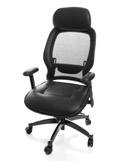
11-ergo-chair-image_1

ergonomic chair

Having a special chair is often viewed as the be-all, end-all of correct office ergonomics. While an ergonomically-designed chair can certainly do wonders, remember that the ultimate goal is to achieve balance between finding a work chair that fits you, provides good support and minimizes stress on the back, and using it correctly in relation to your work environment.

Before providing instant analysis of your chair, examine other factors, including your optimal desk level, how you sit, and the height of your computer screen, and strive to improve on these areas.

Get Suited to Your Work Surface
Rather than just going out and buying a new chair, ask yourself “what type of chair will fit your work station?”

Examine how long you sit all day and how you sit at your desk.

Are you semi-seated (similar to sitting on a bar stool) or do you sit straight up? Do you need to adjust your chair? Where is your computer in relation to your body?

Determine your appropriate work surface (which takes into account the position of your arms, elbows and hands in relation to your desk’s height and your laptop or desktop computer) and be sure to have a chair that allows you to attain this specific height.

The correct surface level can vary from profession to profession (for example, architects and draftsmen often prefer to sit higher), and the final decision as to what’s appropriate is thus determined by each individual.

Become a Series of Right Angles While Sitting and Typing ergonomic deskt arrangement

Sit down straight and as close and comfortable as possible to your desk, with your upper arms parallel to the spine and your hands rested on the work surface.

At this point, take a step back and examine whether your elbows are at a 90-degree angle. If they are not, adjust your office chair higher or lower as deemed fit.

Also make sure that your legs are bent at the knees at a 90 degree angle. Try to maintain this ideal sitting posture as much as possible, and if you find yourself slacking, give yourself a break by getting up and stretching.

Don’t Sit Too High Unless Necessary
Did you know that all of our ankles swell up anywhere from 6 to 8 percent by the end of the day, but for patients with back, leg or circulation problems, this swelling can jump from 10 to 15 percent, especially if sitting in a chair that is too high and leaves the feet dangling?

Generally speaking, a seat height ranging from 16 to 21 inches off the ground is suitable for most workers. To tell whether your chair is too high or at the right height for the desk surface, slide your finger underneath your thigh at the front end of the chair.

If this proves easy to do, your chair is likely at a good height. However, if this proves difficult, your chair is likely too high, which can put extra pressure on your feet and require you to proceed to the next tip.=

Boost Your Feet in Certain Situations
In situations where you have to lift your feet off the ground because of a chair or even a desk that is too high, or where the chair height is right but you’re not that tall, consider using a foot stool to prop and rest your feet as opposed to leaving them hanging all day long.

Such action will reduce both pressure on the feet and the likelihood of foot pain at the end of the day.
Raise Your Work Surface When Applicable
Standard seats should allow for 2-4 inches between the back of the knees and chair.
However, if you’re a taller worker, you may be familiar with this problem: your chair seat is not long enough for your thighs, which have too much space underneath them. In these rarer situations, raising the work surface level may be necessary to ensure circulation at the back of the knee.

Make a Fist to Your Calf
Ensure that there is enough room between the front edge of your chair and calves by simply making a fist, bringing it to the edge of the chair and pushing it on the calf.

If you can fit your full fist between the front edge and your calf, you likely have enough space for circulation and pressure. If not, your chair is likely too deep.

Adjusting the backrest forward, inserting a cushion, pillow or rolled-up towel to support your lumbar spine (lower back), or purchasing a new office chair are some possible solutions to this problem.

Have the Support of Your Back
Back support is a main focus of many ergonomic chairs, but what makes a chair good in terms of supporting the back?

Ideally your work chair should do a couple of things: provide back support angling just past 90 degrees or up to 90 degrees, and include cushioning that pushes your back forward when sitting back in the chair.

Such low back support is essential in preventing slouching as you tire and minimizing the load or strain on your back. With this in mind, the backrest of an ideal ergonomic office chair is typically between 12 and 19 inches wide.
Sit Right

Good Posture

A lot of times, workers have chairs with great back support but don’t take advantage of these features because they sit on the edge of the chair.

Make a conscious effort to press your bottom against the back of the chair, and avoid slumping or slouching, which places extra stress on the lumbar discs and other structures of the lower back.

Apply A Different Kind of Eye Test
Once your chair has been adjusted to the height of the table, your legs have gotten comfortable and your back is supported, close your eyes and take a deep breath.

Casually look forward with your eyes closed, and then open your eyes, which should be aimed at the center of your computer screen. Depending on whether the computer screen is higher or lower than your gaze, you may need to raise or lower the monitor.

If you need to raise your laptop, consider using a stack of books or even a small box, which has personally helped me reduce the likelihood of neck strain at work.

Adjust Your Armrest
Armrests play an important role in reducing neck and shoulder strain and diminishing the likelihood of slouching forward in your chair.

Adjust the armrest to the point where your arms are slightly lifted at the shoulders. Doing so will allow the armrest to support just the elbow and take weight off the shoulders.

Perhaps after making all these changes, you ultimately decide that you do need a new office chair.

If you find yourself in the market for a new chair, you’ll want to consider many factors, including the seat’s height, width, depth, materials, armrests, back rest, lumbar support and swivel.

Full article at  Spinehealth.com

Read Full Post »
By Sue Shekut, L.M.T., ASCM Personal Trainer and Certified Wellness Coach

Sitting with your feet flat on the floor with our backs resting on the back of your chair is an optimal ergonomic position (versus sitting on the edge of your chair as many shorter people end up doing so their feet can rest on the floor). However, many desks and computer surfaces are too high for people shorter than 5 feet 4 inches. At 5′-2″, I have always struggled to find the best combination of chair height and footrest to allow me to sit all the way back in my chair at my computer.

Recently we tested out two of the footrests shown below. Our clients report that both the 8 inch high Safeco footrest and the Rubbermaid Footrest have really helped them feel less neck and back strain when they work. Two of our vertically challenged clients (one approximately 5′-3″ in height and the other 5 foot) are using the footrests to allow them to raise their chairs high enough so that they are in proper position over their keyboards AND can still rest their feet on the floor or footrest.

Note: My feet are flat on a Safeco 8″ footrest myself as I type this post!

Safeco Footrest, Adjustable Easy-Glide Design, 18-1/2″W x 11-1/2″D x 8″H, Black SAF2106


Footrest, Adjustable Easy-Glide Design, 18-1/2"W x 11-1/2"D x 8"H, Black SAF2106

Price $30.84

  • Product Dimensions: 19 x 15.5 x 8.5 inches
  • Shipping Weight: 6 pounds

Order from Amazon here.

This is a great footrest for people under 5′-2″. If you must raise your chair up to it’s upper most height just to get your hands comfortable on your keyboard, this is a footrest for you. It can sit flat so you can rest your feet flat as you sit. It can also easily angle if you need to rock your feet towards you or if you need a bit less height.

Amazon Customer Reviews

• I had a very old rubbermaid footrest that finally cracked. Tried some out and wasn’t pleased. Decided to try this one, mostly because it was a bit higher than most others and i am short. I was skeptical because it ‘looked’ like it tilted ‘at will’ and wasn’t able to be set at one position. Well, that part is true but i just LOVE it and it is extremely comfortable whether tilted towards me or if i am resting such that it is tilted away from me! This one’s a keeper!

• After reading the reviews posted, I decided to get this foot rest to help relieve my lower back pain. It has helped relieve my lower back pain considerably. I am only 5 feet tall and can never reach the floor. Having this has helped my posture and sitting position immensely. I cannot begin to tell you how this has helped my lower back. Thank you fellow reviewers for turning me onto such a wonderful product!

• I bought this for use at home with my computer… as a woman with short legs, even at the lowest setting my computer chair forces me to sit forward in order for my feet to be comfortably on the floor. This footrest is fully adjustable, tips comfortably and instantly relieved the pressure sitting at the computer, enabling me to work for longer periods of time with less back, neck and shoulder strain! Highly recommend you have one at home… I always had one at work but getting one for home was a great move!

• This footrest is fairly simple but it gets the job done. Because the design is so simple, the likelihood of anything breaking on this is slim to none. I bought one for home and work and they both help me keep my legs up so that my legs aren’t getting pinched by the edge of the chair. I also like how you can adjust it by just moving your feet around which is nice for a fidgety person like myself.

Note: This footrest is very high compared to other footrests. At its full height it is 8 inches from the floor. So for people taller than 5’4″ you may be better off with a shorter footrest, as shown below. Amazon reviewers that were average height or only needed a footrest a few inches off the floor did not like this footrest due to it’s height.

Safeco Ergo-Comfort Adjustable Footrest – Black


Ergo-Comfort Adjustable Footrest - Black

Price:  $26.31

  • Product Dimensions: 15.5 x 20 x 5.5 inches
  • Shipping Weight: 5.2 pounds

Product Features

  • Elevates feet, improves circulation and allows shoulders to relax backwards naturally.
  • Easy-Glide design improves circulation allows repositioning of legs and feet while footrest is in use.
  • Tilt angle slides easy to any position that is comfortable for individual users.
  • Available in two heights.

This is a shorter version of the Safeco 8″ footrest. it’s also simple in design but gives you just a few inches of height for those that are taller than 5′-2″ or 5′-4″

Amazon Customer Reviews:

• There are fancier and more expensive foot rests out there, but they offer little more than an increased price and decreased reliability. This unit sturdy consisting of a metal frame and a solid (plastic or wood, I cannot tell) platform. It has only one moving part: the platform tilts in place on the metal frame.

• I am 6′ tall and find this foot rest to be quite comfortable. It’s at just the right height to keep my posture straight when sitting at my desk in my office chair. The tilting feature is effective in allowing me to find a comfortable position, and allows me to change the easily position when I want as is recommended for maximum benefit. Changing position is done by simply moving the platform with the feet — it is held in position by friction which seems sufficient to prevent unwanted slippage, yet yields when required.

• I looked at a lot of foot rests before choosing this one. The size is good, lots of foot room. I like that it can set over the cords rather than having to push them out of the way. It’s bulky or heavy and though it does not lock in place, it doesn’t move unless I want it to, I prefer it that way as I can’t sit in one position for long.

• I looked at all the reviews on footrests first. This one had none; I went for it. All the others seemed to have some problem. It is not fancy, only two pieces. Little or nothing to break. It looks and feels sturdy. It does what is supposed to do: adjust to your feet-and-back-needs with a slight pressure with your soles. It stays in place until you change it. No wobbling. Rubber on the bottom has enough traction to keep footrest from slipping on hardwood floor. Feet don’t slip from rest surface, either. I started using it this morning. Very comfortable. My back feels better already. I recommend it.

Note: Not every Amazon shopper was pleased with this Safeco footrest. But the unhappy reviewers main complaint was that the footrest broke when they applied too much pressure to it. Remember, this is a footrest, not a foot stool!

Rubbermaid 4653 Height-Adjustable Tilting Footrest, Charcoal, 18-1/8w x 14-1/4d


Height-Adjustable Tilting Footrest - Charcoal

Price $46.99 at Amazon.

Order Rubbermaid footrest here.

Product Details

* Item Weight: 6.5 pounds
* Shipping Weight: 6.5 pounds

Our 5′-3″ Working Well Massage client really likes this footrest. She’s only had it about a month so she can’t attest to it’d durability. However, it has made her much more comfortable sitting at her compute r and visiting coworkers like to putt heir feet  on it under her desk when they come in for meetings as well.

Amazon Customer Reviews:
• I’ve had this for about 4 years and it works great. It is the only footrest you’ll find that goes to a full 6.25″ in height, so if you are 5’3″ or shorter, a standard footrest probably is not going to be high enough for you. If you are taller than about 5’7″, you could probably get a standard foot rest. This one is very solid, and while the height is not easy to adjust, I have needed to adjust it exactly one time–when I took it out of the box–unless your height fluctuates from day to day you’ll never have to change it.

• I bought this to use at work and liked it a lot. However, one month later, it broke. A piece of plastic snapped off and now I no longer have three positions. Just one, flat on the floor. If you buy one, treat it gingerly and push it aside so no one else will use it when you’re away.

• My husband and I both bought one Eldon Height-Adjustable Tilting Footrest for our offices. We were delighted at first, because it did seem to relieve back pain and adjust our sitting positions. However, a few months later, two piece of plastic which change positions snapped off on his footrest. I thought he was not gentle enough. Not long after that, mine broke too, just when I needed it most (pregnant women have achy back!) I swear I was very gentle, and with my husband’s experience, I was trying to be extra careful with it. Oh well. I will need to get another one. This time, I will buy one with metal support.

• I am so happy with this product for several reasons – 1) Its the only footrest that I found that has 3 adjustable heights with the highest being almost 7″. This is great for me being only 5’2″! 2) It adjusts very easily…to raise it, just pull up to each height and to lower, hold the front and tilt it back. 3) It tilts back and forth, for added comfortability and increased circulation. The one thing I don’t like is the raised hard dimples. I know these are supposed to increase circulation in your feet, but I found them rather uncomfortable.

Read Full Post »

Older Posts »